UI Guide
WikiMind's React frontend provides three main views for interacting with your knowledge base.
Inbox
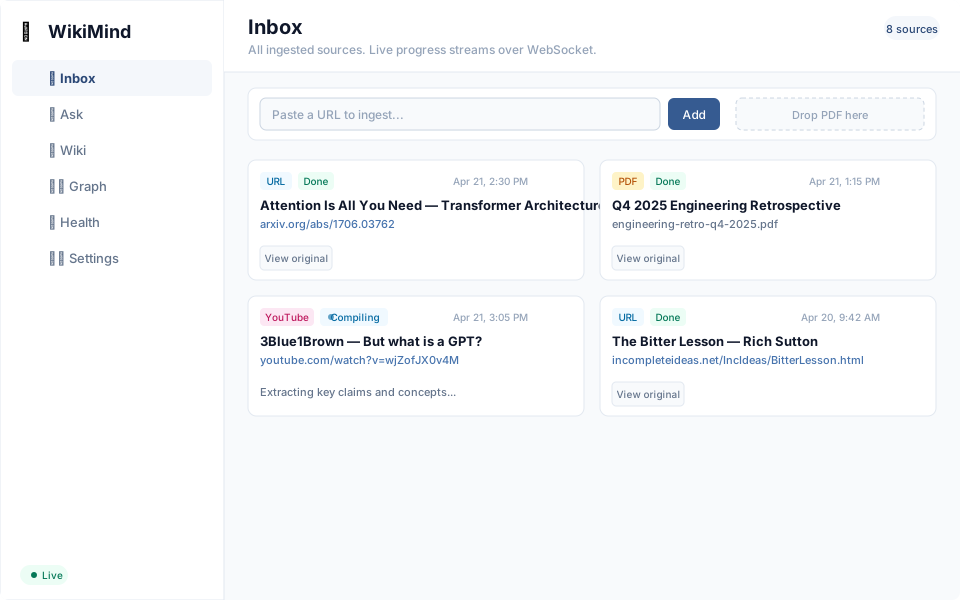
The Inbox is where you feed sources into WikiMind. You can:
- Paste a URL -- Web articles, YouTube videos, or direct PDF links
- Upload a PDF -- Drag and drop or use the file picker
- Enter text -- Paste notes, transcripts, or any raw text
Each ingested source shows its status: ingested, processing, compiled, or failed. Sources auto-compile in the background once ingested.
Wiki Explorer
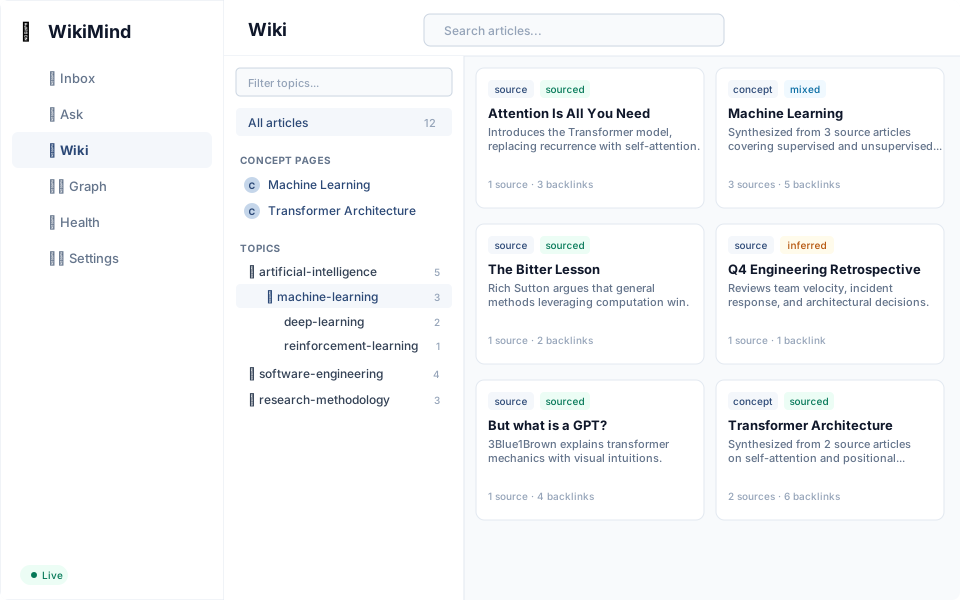
The Wiki Explorer lets you browse your compiled knowledge base:
- Article list -- All compiled articles with title, summary, confidence badge, and concept tags
- Filtering -- Filter by concept, confidence level, or page type (source, concept, answer)
- Search -- Full-text search across all articles
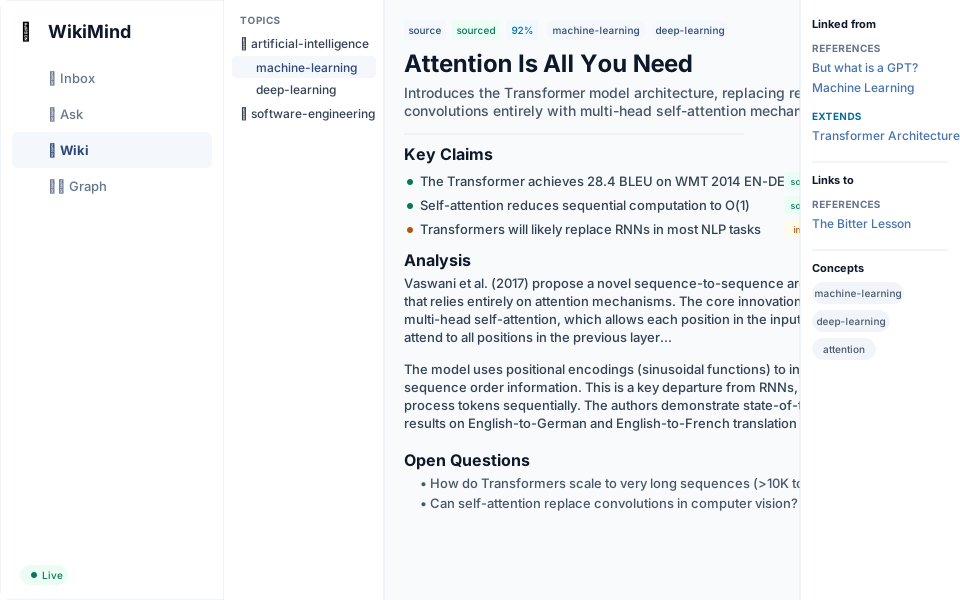
- Article detail -- Full article with key claims, analysis, open questions, backlinks, and source provenance
Each article shows:
- The key claims extracted from the source, with confidence tags
- Backlinks to related articles (references, extends, supersedes)
- Source provenance -- which original source was compiled to produce this article
- Figures panel -- extracted images from PDF sources (when available)
Ask
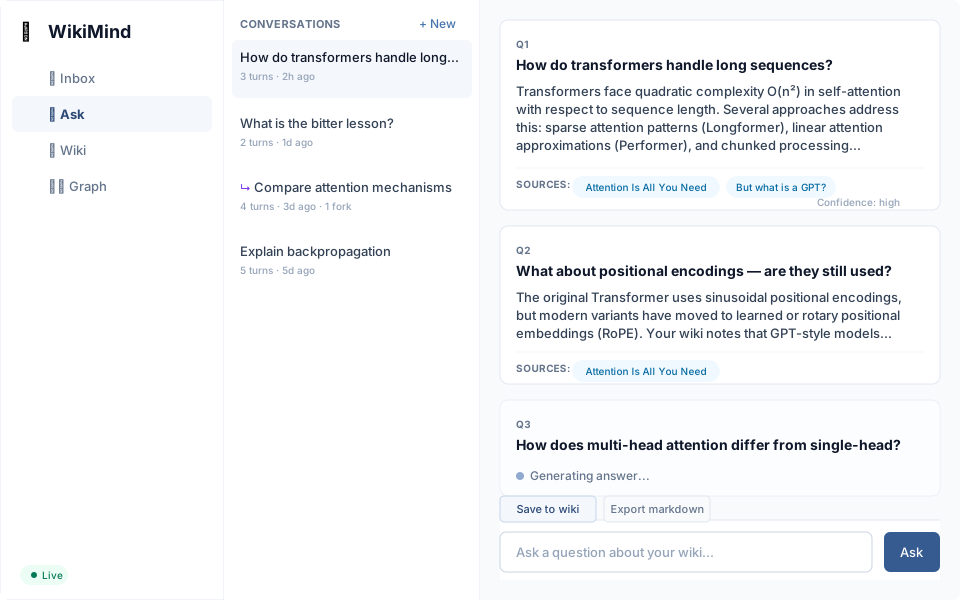
The Ask view provides a conversational Q&A interface:
- Ask questions -- Type a question and get an answer cited from your wiki
- Conversation threads -- Follow-up questions carry context from the conversation
- Streaming -- Answers stream token-by-token for responsiveness
- File back -- File high-confidence answers back to the wiki
- Fork -- Branch a conversation at any turn to explore a different direction
- Export -- Download a conversation as standalone markdown
Authentication
When multi-user mode is enabled (WIKIMIND_AUTH__ENABLED=true), the frontend shows:
- Login page (
/login) -- Google and GitHub OAuth2 sign-in buttons - Protected routes -- Unauthenticated users are redirected to
/login - User menu -- Avatar, name, and logout button in the sidebar
When auth is disabled (default), no login page is shown and all routes are accessible.
Knowledge Graph
The concept taxonomy provides a hierarchical view of your knowledge:
- Concept tree -- Browse concepts organized in a parent-child hierarchy
- Concept detail -- See all articles tagged with a concept
- Concept pages -- Auto-generated articles that synthesize all sources under a concept